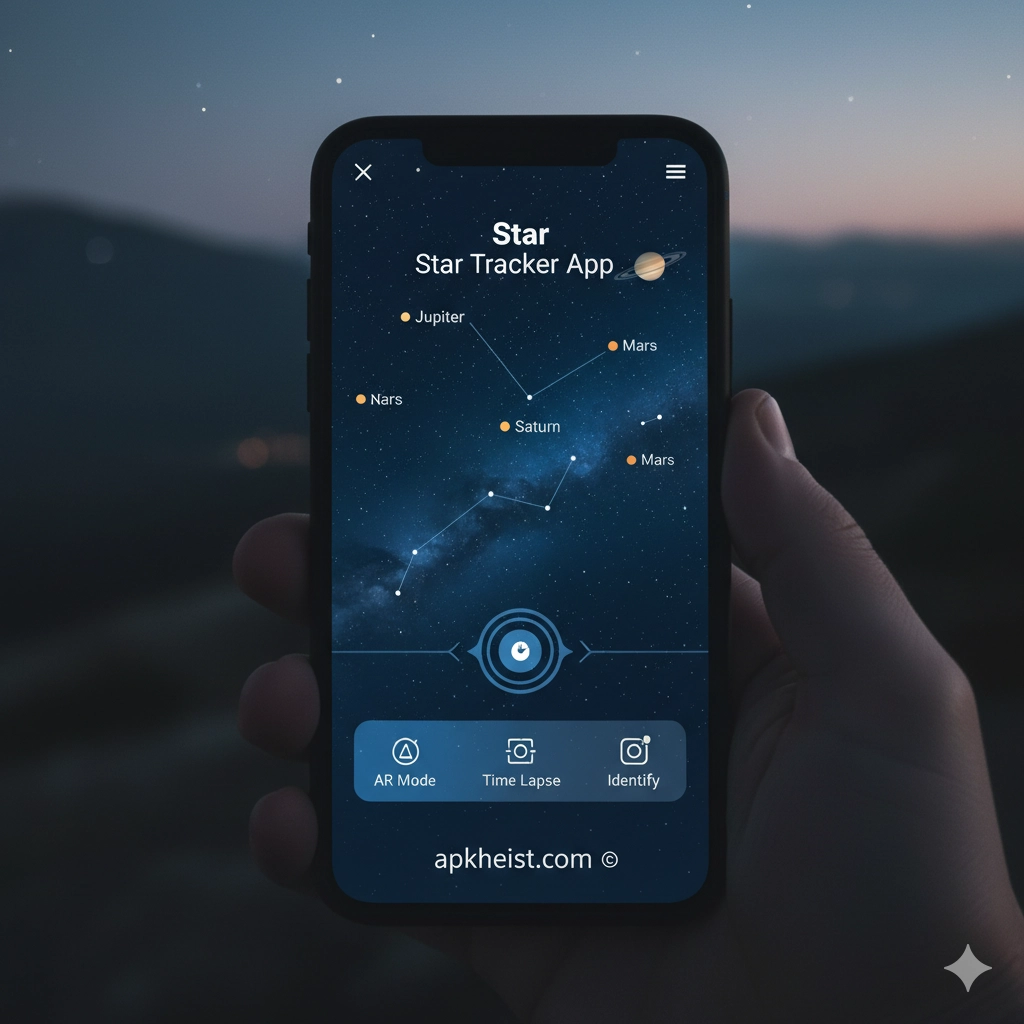
Whether you're an amateur stargazer or an experienced astronomer, the Star Tracker App offers a seamless way to navigate the night sky. Using real-time GPS positioning and augmented reality, it identifies celestial bodies as you point your device toward the heavens. From tracking the planets to discovering deep-sky objects, this app transforms your smartphone into a powerful telescope companion. With interactive guides, detailed star maps, and notifications for upcoming astronomical events, it makes stargazing engaging and educational for all ages. For those passionate about exploring the universe, the Star Tracker App is an indispensable tool for learning, observation, and capturing the beauty of the night sky.
1. How Star Tracker App Works – Understand the technology behind the app and how it accurately maps the night sky.
2. Top Features of Star Tracker App – Explore the key functionalities that make this app a must-have for astronomy enthusiasts.
3. Tips for Beginners Using Star Tracker App – Learn how to get started and maximize your stargazing experience.
4. Tracking Planets and Celestial Events – Discover how to follow planetary movements and upcoming astronomical phenomena.
5. Integrating Star Tracker App with Other Tools – How the app connects with telescopes and educational resources.
1. How Star Tracker App Works
The Star Tracker App utilizes your device's GPS, gyroscope, and compass to detect your location and orientation. By combining this information with astronomical databases, it generates a real-time map of the night sky. As you move your device, the app updates instantly, displaying constellations, stars, planets, and other celestial objects accurately. Some versions even offer augmented reality overlays, allowing you to visualize constellations superimposed over the real sky. This technology makes stargazing intuitive and interactive, providing a rich learning experience for users of all levels.
2. Top Features of Star Tracker App
Star Tracker comes packed with features such as interactive star maps, a search function for celestial objects, notifications for meteor showers, and night mode for low-light conditions. Users can filter objects by category—planets, stars, satellites, and deep-sky objects—and even take snapshots with constellations labeled. The app also includes educational content that explains the mythology and science behind the stars, making it both fun and informative. For anyone wanting a comprehensive astronomy companion, these features are invaluable.
3. Tips for Beginners Using Star Tracker App
New users should start by calibrating the app carefully using their device's sensors. Begin exploring familiar constellations like Orion or Ursa Major to get accustomed to navigation. Enable night mode to preserve your eyes’ night vision and adjust settings for your location to increase accuracy. Regular practice under clear skies will enhance your observational skills. For extra engagement, join astronomy communities and compare your findings using the app’s sharing features.
4. Tracking Planets and Celestial Events
The app allows users to track planetary positions, moon phases, and even eclipses. By selecting a planet or event, you receive a guide on the best times and locations to observe it. Notifications can alert you to upcoming meteor showers or rare astronomical alignments. Combined with star maps, these tools make planning observation nights simple and rewarding. This capability bridges the gap between casual stargazing and serious amateur astronomy.
5. Integrating Star Tracker App with Other Tools
Advanced users can integrate Star Tracker with telescopes via Bluetooth or Wi-Fi, allowing for automatic positioning to specific celestial objects. It can also sync with astronomy journals and social platforms to document observations. By combining the app with binoculars, telescopes, or other educational apps, you expand your astronomy toolkit and enhance the overall experience, turning casual stargazing into a deeply immersive hobby.
FAQs about Star Tracker App
Q1: Is Star Tracker App suitable for beginners?
A1: Absolutely. The app provides beginner-friendly guides, interactive maps, and educational content that makes it easy to start exploring the night sky.
Q2: Can I track satellites and the International Space Station?
A2: Yes, many versions of Star Tracker include real-time satellite tracking, including the ISS, allowing users to spot passes over their location.
Q3: Do I need an internet connection to use Star Tracker App?
A3: Basic star mapping can be done offline once the app’s databases are downloaded. Some features like event notifications or live updates may require internet access.
Q4: Can the app integrate with telescopes?
A4: Yes, advanced users can connect compatible telescopes to the app for automated pointing and tracking of celestial objects.
Q5: Is the app free?
A5: Many Star Tracker apps are free with optional in-app purchases for advanced features such as detailed star catalogs or augmented reality enhancements.